
The content management landscape has shifted dramatically over the past decade. For years, monolithic systems like WordPress, Drupal, and Joomla powered the web by packaging everything—from database queries and content authoring to HTML rendering and page styling—into a single application. That all-in-one approach worked smoothly when the primary digital touchpoint was a standard desktop browser.
Today, businesses must deliver content across diverse digital environments: mobile applications, smartwatch interfaces, single-page web applications (SPAs), IoT displays, digital signage, and AI-driven interfaces. Trying to squeeze modern omnichannel demands into a legacy, coupled architecture often leads to bloated codebases, rigid presentation layers, and performance bottlenecks.
Enter the Headless CMS.
By decoupling where content is created and stored from where and how it is displayed, headless architecture offers speed, flexibility, and scalability. But it is not a silver bullet. Going headless introduces architectural complexity, shifts responsibilities onto engineering teams, and changes how marketing teams build pages.
Here is an in-depth breakdown of what a headless CMS actually is, how it stacks up against traditional systems, the core benefits and trade-offs, and a framework to decide whether it is right for your project.
1. What Is a Headless CMS?
In web development terminology, the “head” refers to the presentation layer (the frontend UI, HTML, CSS, and layout templates) that end-users see and interact with. The “body” represents the backend repository where structured content, media assets, user permissions, and editorial workflows live.
A traditional (monolithic) CMS tightly binds the head to the body. When an editor publishes an article, the CMS generates the complete HTML page using its internal theme engine and delivers it directly to the browser.
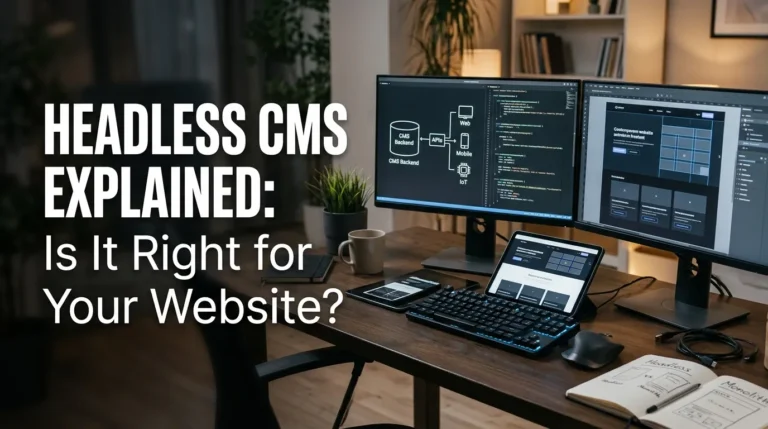
A headless CMS cuts off the head entirely. It acts strictly as a centralized content repository and governance platform. Instead of compiling webpages, it exposes its raw content through structured Application Programming Interfaces (APIs)—typically REST or GraphQL.
Front-end applications (built in frameworks such as Next.js, Nuxt, SvelteKit, or mobile native code) query these APIs, fetch the raw JSON content, and render it using whatever design system or platform requirements are needed.
Traditional Architecture:
[ Content Database + Editorial UI ] === tightly coupled ===> [ Built-in Template Engine / HTML Output ]

Headless Architecture:
[ Content Database + Editorial UI ]
                  |
         (REST / GraphQL API)
                  |
     +------------+------------+
     |                         |
[ Web App (Next.js) ]    [ Mobile App (iOS/Android) ]    [ Digital Display / Kiosk ]
2. Headless vs. Traditional vs. Decoupled CMS
Understanding where headless fits requires clarifying related terms:
| Feature | Traditional CMS (e.g., standard WordPress) | Decoupled CMS | Pure Headless CMS (e.g., Sanity, Contentful, Strapi) |
| Presentation Layer | Built-in, theme-driven | Optional built-in presentation layer + API access | Completely absent; developers build custom frontends |
| Content Delivery | Monolithic server-side rendering (SSR) | APIs (REST/GraphQL) or built-in templates | Strictly API-driven (JSON) |
| Front-End Freedom | Constrained by CMS theming engine | High, with fallback to default head | Complete freedom across any stack/device |
| Editor Experience | WYSIWYG, live site preview, drag-and-drop page builders | Hybrid preview and structured fields | Structured field modeling; previews require custom configuration |
| Technical Overhead | Low to moderate | Moderate to high | High (requires dedicated engineering resources) |
3. Key Benefits of a Headless CMS
True Omnichannel Delivery (“Create Once, Publish Everywhere”)
With a monolithic system, pushing content to both a web application and an iOS/Android native app often requires duplicate entry or fragile scraping plugins. A headless CMS serves as a single source of truth. Write a product update, press release, or support article once, and it automatically updates your marketing website, native mobile apps, partner portals, and retail displays simultaneously.
Substantial Performance and Core Web Vitals Gains
Traditional CMS platforms frequently rely on dozens of database queries and server executions per page load unless aggressive caching layers are built.
Headless architectures naturally pair with modern frontend paradigms like Static Site Generation (SSG), Incremental Static Regeneration (ISR), and Edge Server-Side Rendering (SSR). By pre-rendering HTML pages and serving assets globally via Content Delivery Networks (CDNs), TTFB (Time to First Byte) drops significantly, and performance metrics like Largest Contentful Paint (LCP) and Interaction to Next Paint (INP) improve noticeably.
Enhanced Security and Reduced Attack Surface
WordPress and other legacy monoliths are frequent targets for automated exploits due to outdated plugins, themes, and publicly accessible admin endpoints (like /wp-admin or xmlrpc.php).
In a headless architecture, the CMS backend lives on a private or separate domain, completely isolated from the public-facing frontend. Even if a visitor or bad actor targets the frontend site, the administrative backend, database credentials, and content repository remain unexposed.
Developer Freedom and Future-Proofing
Monolithic platforms force engineers to work within specific languages (such as PHP) and strict templating systems. Headless architecture gives developers the freedom to build with whatever modern stack best fits the product—React, Vue, Angular, Svelte, or native Swift/Kotlin.
Furthermore, when frontend redesigns happen every few years, teams do not need to execute painful, risky database migrations. The content models and backend remain unchanged while engineers simply replace or refactor the frontend application.
4. The Hidden Challenges and Trade-Offs
While headless architecture solves major structural pain points, it introduces distinct operational challenges that organizations frequently underestimate.
Loss of Out-of-the-Box Editorial Tools
In a standard WordPress or Squarespace site, non-technical marketers enjoy instant visual previews, drag-and-drop page builders, and real-time WYSIWYG editing.
In a headless setup, content is decoupled from layout. Editors type text into isolated fields (e.g., “Heading”, “Call-to-Action Text”, “Body JSON”). Unless your engineering team invests the time to implement custom preview webhooks and visual staging environments, editors cannot see how a page will look until it is deployed.
Increased Development Dependency and Cost
Launching a simple site on a traditional CMS can be done in days by a single designer or marketer using a pre-made theme.
A headless site requires building every component of the frontend from scratch: site navigation, routing, responsive layouts, 404 pages, sitemaps, structured data schemas, and analytics tracking. The initial build cost and the ongoing reliance on front-end developers are substantially higher.
Technical SEO Becomes an Engineering Responsibility
In traditional CMS setups, plugins like Yoast or Rank Math automatically handle canonical tags, XML sitemaps, OpenGraph metadata, and redirects.
In headless setups, your developers are entirely responsible for SEO plumbing. If the frontend relies too heavily on client-side JavaScript rendering (CSR) without proper server-side hydration (SSR/SSG), search engines and AI web crawlers may fail to index the content reliably. The engineering team must deliberately architect dynamic metadata, schema markup (JSON-LD), and redirect logic into the frontend codebase.
5. Decision Matrix: Is Headless Right for You?
Use this evaluation checklist to assess your project’s technical maturity, resources, and publishing needs:
Choose a Headless CMS if:
- You are publishing across multiple channels: You need content to hydrate a web app, a mobile app, client portals, and email workflows from a centralized backend.
- Site speed and Core Web Vitals are tied to revenue: For high-volume e-commerce or large SaaS platforms, millisecond speed gains and edge delivery produce measurable conversion rate improvements.
- You have dedicated in-house developers: Your engineering team actively works in React/Vue/Next.js and wants full programmatic control over the user interface.
- Complex security or compliance requirements exist: Your architecture demands strict isolation between public-facing interfaces and backend database infrastructure.
Stick with a Traditional CMS if:
- You run a straightforward content or marketing site: A standard corporate blog, local business site, or informational brochure site rarely justifies the cost and complexity of a custom frontend build.
- Your marketing team needs total visual autonomy: Non-technical teams that require instant drag-and-drop page creation without opening Jira tickets will find basic headless setups frustrating.
- You have limited development resources or budget: If you lack dedicated frontend engineers to maintain deployment pipelines, API integrations, and edge configurations, a monolith is far more sustainable.
- Speed to market is paramount for a quick MVP: Traditional CMS ecosystems have thousands of mature plugins, themes, and forms ready to deploy within hours.
6. Popular Headless CMS Platforms
If you determine that headless is the right route, several mature platforms cater to different technical requirements:
- Sanity.io: Known for its real-time collaborative editing environment (Sanity Studio) and GROQ/GraphQL query capabilities. Highly customizable and popular among enterprise engineering teams.
- Contentful: One of the enterprise pioneers in API-first content infrastructure, offering mature governance, localization, and role-based workflows for large organizations.
- Strapi: A leading open-source headless CMS built on Node.js, ideal for teams wanting self-hosted control over their data, database, and hosting environments.
- Payload CMS: A developer-centric, code-first TypeScript headless CMS that integrates directly with Next.js and modern Node environments.
- Headless WordPress: Utilizing the familiar WordPress dashboard on the backend while fetching data via WPGraphQL or the WordPress REST API to power a modern React or Next.js frontend.
Architectural Fit Over Industry Hype
Moving to a headless CMS is an architectural commitment, not simply an upgrade. It eliminates traditional design limitations and provides unmatched performance, multi-device delivery, and security.
However, architecture should always reflect organizational capability. If your company has the engineering capacity to build and maintain a custom frontend, headless will provide a scalable foundation for years to come. If your primary need is simple publishing speed with visual control managed by non-technical creators, a modern traditional or decoupled CMS remains the pragmatic choice.