
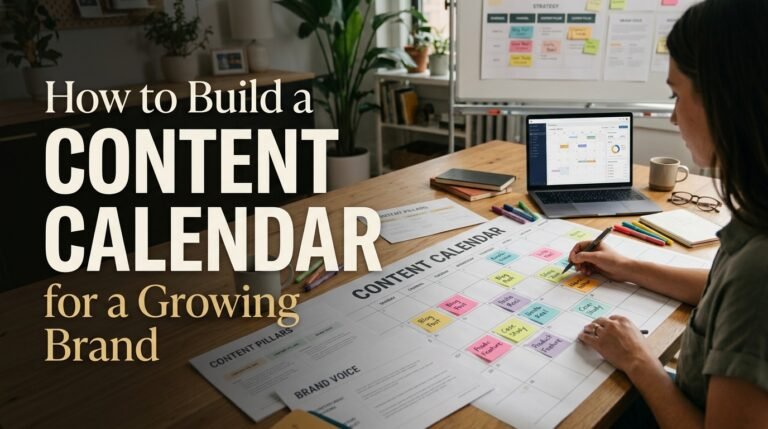
Scaling a brand from scrappy beginnings into an established market presence involves navigating a critical operational shift: moving from ad-hoc, reactionary publishing to predictable, high-impact content operations.
In the early days of a business, winging your content schedule—writing a blog post when inspiration strikes or posting on social media whenever a new product feature drops—often feels sufficient. However, as your team expands, distribution channels multiply, and customer acquisition targets grow steeper, unstructured workflows quickly lead to missed deadlines, inconsistent brand voice, and team burnout.
A structured content calendar serves as the single source of truth for your brand’s voice, editorial cadence, and strategic initiatives. Here is a comprehensive guide to building, managing, and scaling an editorial calendar tailored specifically for a growing brand.
1. Laying the Strategic Groundwork
Before opening a spreadsheet or project management tool, you must establish the strategic foundation that informs every entry on your calendar. An editorial schedule without a strategy is merely an organized collection of noise.
Define Your Core Content Pillars
Content pillars (or core thematic buckets) ensure that your publishing schedule remains balanced and aligned with business goals. Aim for 3 to 5 central themes that solve core problems for your target customer while highlighting your product or service’s unique value proposition.
- Educational / Authority-Building: How-to guides, industry teardowns, trend reports, and deep dives that position your brand as an expert.
- Product & Solution-Focused: Feature spotlights, customer case studies, implementation tips, and product comparison matrices.
- Brand Culture & Perspective: Thought leadership pieces, behind-the-scenes glimpses, company values, and executive viewpoints.
- Community & Curated: User-generated content, interviews with external experts, industry news roundups, and audience Q&As.
Clarify Audience Personas and Buying Stages
Every piece scheduled on your calendar must serve a specific audience segment at a defined point in their journey:
- Top of Funnel (Awareness): High-level guides, short-form social videos, and educational newsletters that address broad industry pain points.
- Middle of Funnel (Consideration): Comparison guides, webinars, in-depth whitepapers, and customer problem-solution breakdowns.
- Bottom of Funnel (Decision): Product walkthroughs, case studies, ROI calculators, and customer testimonials.
2. Anatomy of a Scalable Content Calendar
A growing brand requires more metadata than just a title and a date. To keep writers, designers, editors, and growth marketers aligned, your calendar entries must capture the full lifecycle of each asset.
Essential Data Fields to Include
| Field Name | Description | Example Value |
| Headline / Topic | Working title or core premise of the asset | “How to Reduce Customer Churn in SaaS” |
| Content Format | The primary medium being created | Blog Post, LinkedIn Carousel, Video |
| Content Pillar | Strategic thematic category | Educational / Authority-Building |
| Target Audience / ICP | Designated buyer persona | Mid-Market VP of Customer Success |
| Funnel Stage | Position in the customer journey | Consideration (MoFu) |
| Primary Keyword / Intent | SEO focus keyword and search volume | reduce saas churn (1,200 SV) |
| Author / Creator | The individual responsible for the initial draft | Content Writer (Jane Doe) |
| Editor / Reviewer | Lead editor or strategist responsible for sign-off | Editorial Lead (John Smith) |
| Distribution Channels | Secondary platforms for repurposing | Newsletter, Twitter/X thread, YouTube |
| Current Status | Production stage in your workflow | Drafting, In Review, Ready to Schedule |
| Key Dates | Production deadlines and final publish date | Draft Due: Oct 12 | Publish: Oct 20 |
| Asset Link / Live URL | Link to working document and published page | Drive draft link / Live blog URL |
3. Designing a Clear Production Workflow
Workflow bottlenecks represent the most common reason editorial calendars break down. Defining clear stage gates prevents friction and ensures accountability across cross-functional teams.
Ideation & Backlog ➔ Outline & Briefing ➔ Production & Design ➔ Editorial Review ➔ Scheduled & Published ➔ Repurposing & Distribution
- Ideation & Backlog: Team members submit ideas based on keyword research, customer conversations, or market trends. Ideas sit in a backlog until prioritized.
- Outline & Briefing: Before writing, the creator crafts a brief outlining search intent, target keywords, competing articles, and core talking points.
- Production & Design: Copywriters write the draft, while graphic designers or video editors produce supporting creative assets.
- Editorial & Stakeholder Review: The draft undergoes fact-checking, style guide alignment, and tone verification. Technical or legal checks occur here if required.
- Staging & Scheduling: The final approved draft is uploaded to the CMS, formatted, tagged, and set to auto-publish.
- Repurposing & Distribution: The promotion engine kicks in across social channels, email lists, and partner networks.
4. Choosing the Right Tool Stack
The best tool is the one your team will actually update consistently. The right choice depends on your team size and operational complexity:
Option A: Spreadsheets (Google Sheets, Microsoft Excel)
- Best for: Early-stage brands, solo operators, or lean teams testing their first formal content schedule.
- Pros: Highly customizable, familiar interface, zero software cost.
- Cons: Lacks automated notifications, difficult to track individual task assignments, messy version history.
Option B: Kanban & Relational Databases (Notion, Airtable, Monday.com)
- Best for: Scaling brands managing multi-channel campaigns, freelancers, and design dependencies.
- Pros: Flexible views (switch between Calendar, Kanban board, and Grid), custom status tags, automated triggers, integrated asset storage.
- Cons: Requires deliberate setup, slight learning curve for non-technical team members.
Option C: Enterprise Project & Social Management (Asana, ClickUp, CoSchedule)
- Best for: Fast-growing marketing teams with complex cross-departmental approval chains and heavy multi-channel social publishing.
- Pros: Direct CMS/social publishing integrations, advanced workload capacity planning, granular permission controls.
- Cons: Higher subscription costs, can introduce operational overhead if configured with too much complexity.
5. Setting a Sustainable Cadence and Distribution Engine
A common pitfall for growing brands is committing to an overly aggressive publishing cadence, burning out creative talent within a couple of months.
Prioritize Quality and Consistency Over Volume
Publishing one deeply researched, actionable long-form piece every two weeks yields significantly higher SEO compounding and trust than churning out five mediocre, surface-level articles a week.
Start with a baseline you can comfortably sustain for six consecutive months:
- Long-Form Blog Content: 1–2 high-quality pieces per week.
- Email Newsletter: 1 weekly or bi-weekly send.
- Social Media: 3–4 high-impact organic posts per channel per week.
Build an “Atomization” Repurposing Loop
Never publish a major content asset without planning its downstream derivatives. Integrate repurposing directly into the calendar entry:
1 Pillar Whitepaper / Long-Form Guide
  ├── 2 Focused In-Depth Blog Articles
  ├── 1 Newsletter Deep-Dive Edition
  ├── 3 LinkedIn Thought-Leadership Posts
  ├── 1 Infographic / Slide Deck for Sales Enablement
  └── 4 Short-Form Video Scripts for Social
By linking derivative assets to the parent calendar entry, your team multiplies output without multiplying research time.
6. Maintaining and Auditing Your Editorial Machine
A content calendar is a living management tool, not a static archive. Maintaining operational health requires continuous upkeep:
- Weekly Editorial Standup (15–20 Mins): Review the upcoming week’s scheduled releases, identify immediate roadblocks, and confirm handoff dates between writers and designers.
- Monthly Retrospective & Backlog Grooming: Review performance analytics (organic traffic, conversions, social engagement) to identify top-performing topics and archive stale concepts.
- Quarterly Content Refresh Audit: Revisit pieces published 6 to 12 months prior. Update outdated data, fix broken links, and refresh search optimizations to maintain search rankings.
Final Thoughts
Building an effective content calendar is less about discovering the perfect software platform and more about cultivating organizational discipline. By clarifying your content pillars, establishing transparent workflow stages, capturing critical metadata, and committing to an atomized distribution strategy, your growing brand can transform content from a chaotic chore into a predictable, revenue-driving growth engine.